


Splunk Integration (SIEM)
This document provides instructions on how to integrate Xint’s audit logs with Splunk.
Configuration Steps
Section titled “Configuration Steps”-
Navigate to Menu: Go to [Settings] -> [SIEM].
-
Start Integration: Click the [Add Integration] button under the Splunk section to enter the configuration screen.
-
Enter Information: Provide the HEC details generated in Splunk.
- HEC URL: Enter the full URL to receive logs (e.g.,
https://<splunk-host>:8088/services/collector/event). - HEC Token: Enter the authentication token issued by Splunk.
- Index: Enter the name of the Splunk index where logs will be stored.
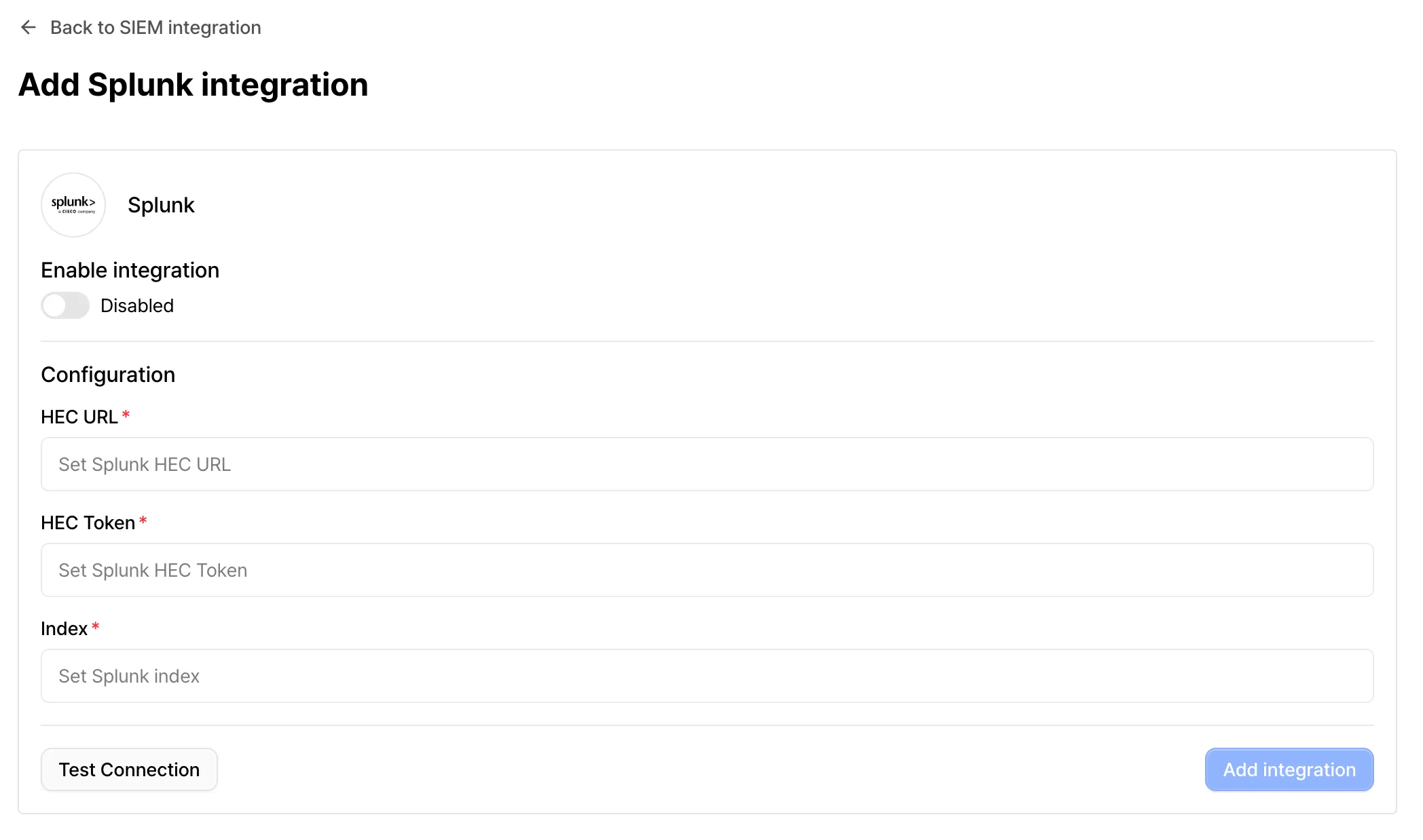
- HEC URL: Enter the full URL to receive logs (e.g.,
-
Test Connection: Click the [Test Connection] button to verify that logs are successfully being sent with the provided information.
-
Complete Integration: Click [Add Integration] to save your settings. Once the configuration is active, audit logs will be forwarded to Splunk in real-time.
SIEM Event Specifications
Section titled “SIEM Event Specifications”Xint transmits the following events to Splunk for security auditing and tracking purposes.
| Event Name | Description |
|---|---|
| User Related | |
user.login | User successfully logged into the system |
user.create | A new user was created or added to the organization |
user.update_role | A specific user’s access role was changed |
user.deactivate | A user account was deactivated and access was revoked |
| Organization Related | |
organization.invitation.create | A new user invitation was created and sent |
organization.invitation.revoke | A previously sent user invitation was revoked |
organization.auth.email.enable | Email/Password authentication was enabled |
organization.auth.email.disable | Email/Password authentication was disabled |
organization.auth.google.enable | Google social login was enabled |
organization.auth.google.disable | Google social login was disabled |
organization.auth.oidc.enable | OIDC authentication for SSO was enabled |
organization.auth.oidc.disable | OIDC authentication was disabled |
organization.auth.oidc.configure | OIDC configuration (Client ID, Endpoint, etc.) was established |
organization.auth.oidc.update | Existing OIDC configuration was updated |
organization.auth.oidc.delete | Registered OIDC configuration was deleted |
| Scan Related | |
scan.create | A new scan profile or task was created |
scan.delete | Existing scan settings or result data were deleted |
scan.start | A scan task was started manually or by schedule |
scan.stop | An active scan task was manually stopped by a user |
scan.schedule | A scan was scheduled to run at a specific time |
scan.unschedule | A previously configured scan schedule was removed |
| Others | |
api-key.create | A new API Key for system access was issued |
api-key.delete | An existing API Key was revoked or deleted |
siem.test_connection | A test connection was performed to verify SIEM integration |