


Release Note #1 (2025.12)
Major Enhancements
Section titled “Major Enhancements”1. Easier, More Reliable Scan Setup
Section titled “1. Easier, More Reliable Scan Setup”Test Website Authentication Before You Scan
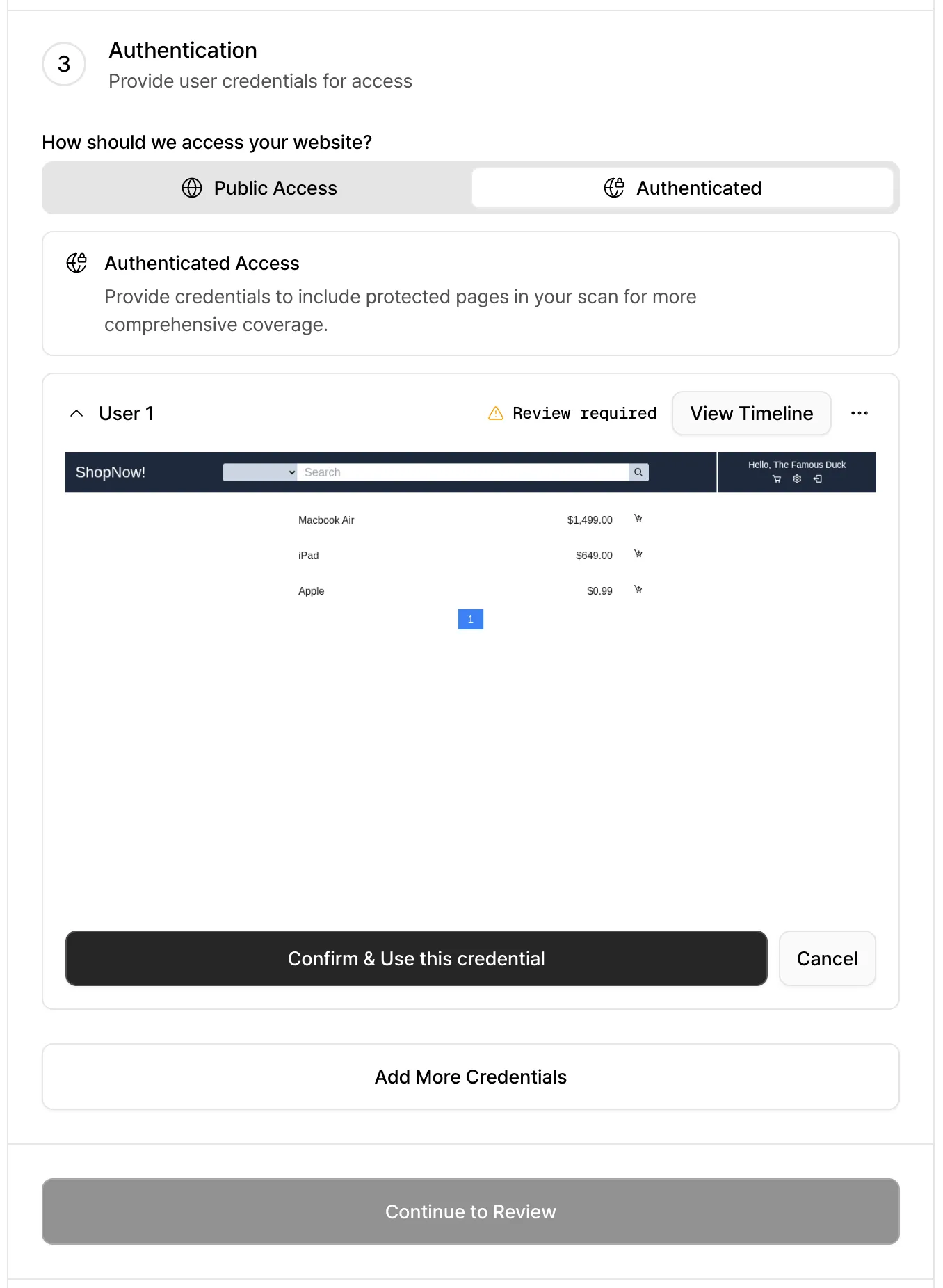
Section titled “Test Website Authentication Before You Scan”No more waiting until a scan is halfway done to find out login didn’t work. You can now test your login credentials during scan setup and confirm authentication immediately.
- If authentication succeeds: You’ll see the post-login page, so you know the login worked as expected.
- If authentication fails: We’ll point out common issues and how to fix them. If the problem persists, you can contact us through the support request form.
Advanced Scan Settings
Section titled “Advanced Scan Settings”Scan websites with invalid TLS certificates
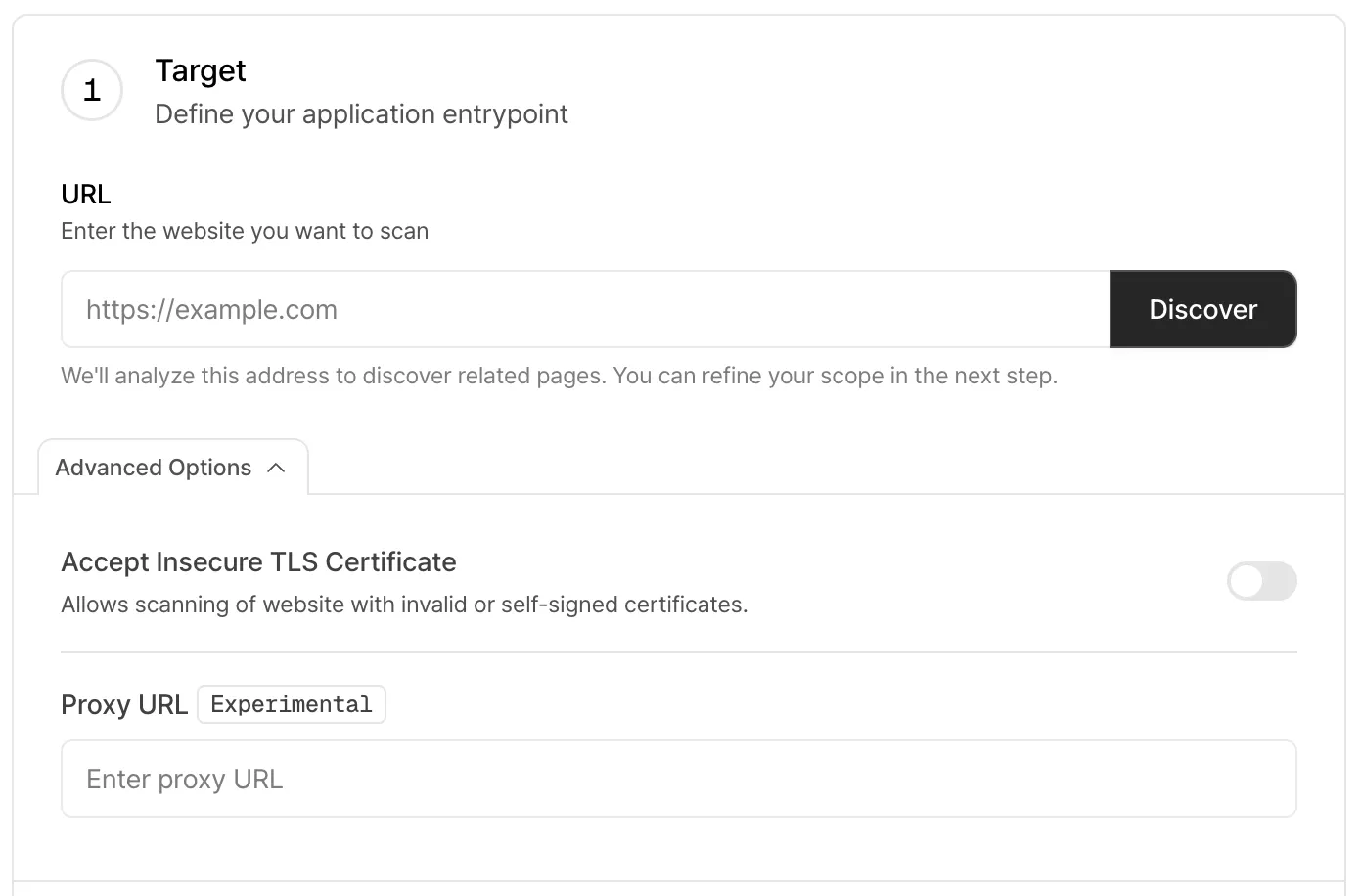
You can now scan websites even if their TLS certificates are invalid, such as expired, self-signed, or mismatched certificates. Enable this option to skip certificate validation and proceed with the scan.
Scan internal websites via reverse proxy (Experimental)
You can now provide a reverse proxy URL when creating a scan. This makes it possible to scan websites that are only accessible from within your internal network by routing scan traffic through the proxy.
2. Clearer, Improved Reports
Section titled “2. Clearer, Improved Reports”Smarter Duplicate Vulnerability Handling
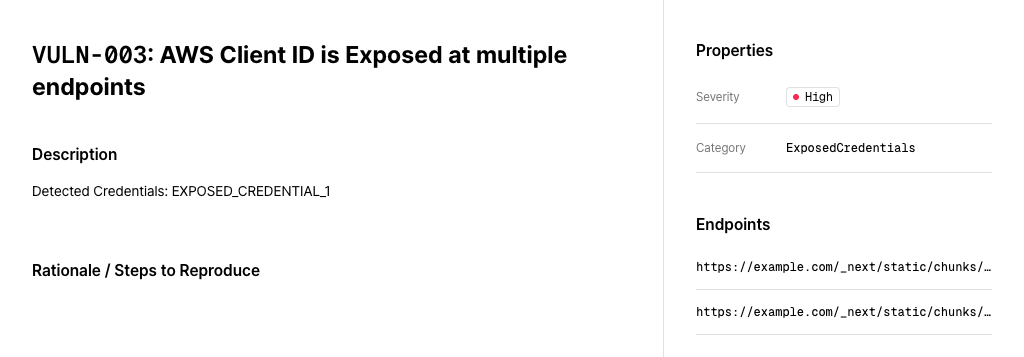
Section titled “Smarter Duplicate Vulnerability Handling”Secret key exposure deduplication
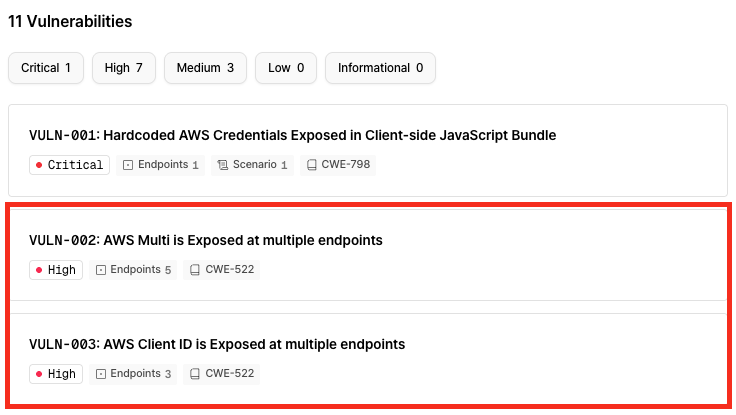
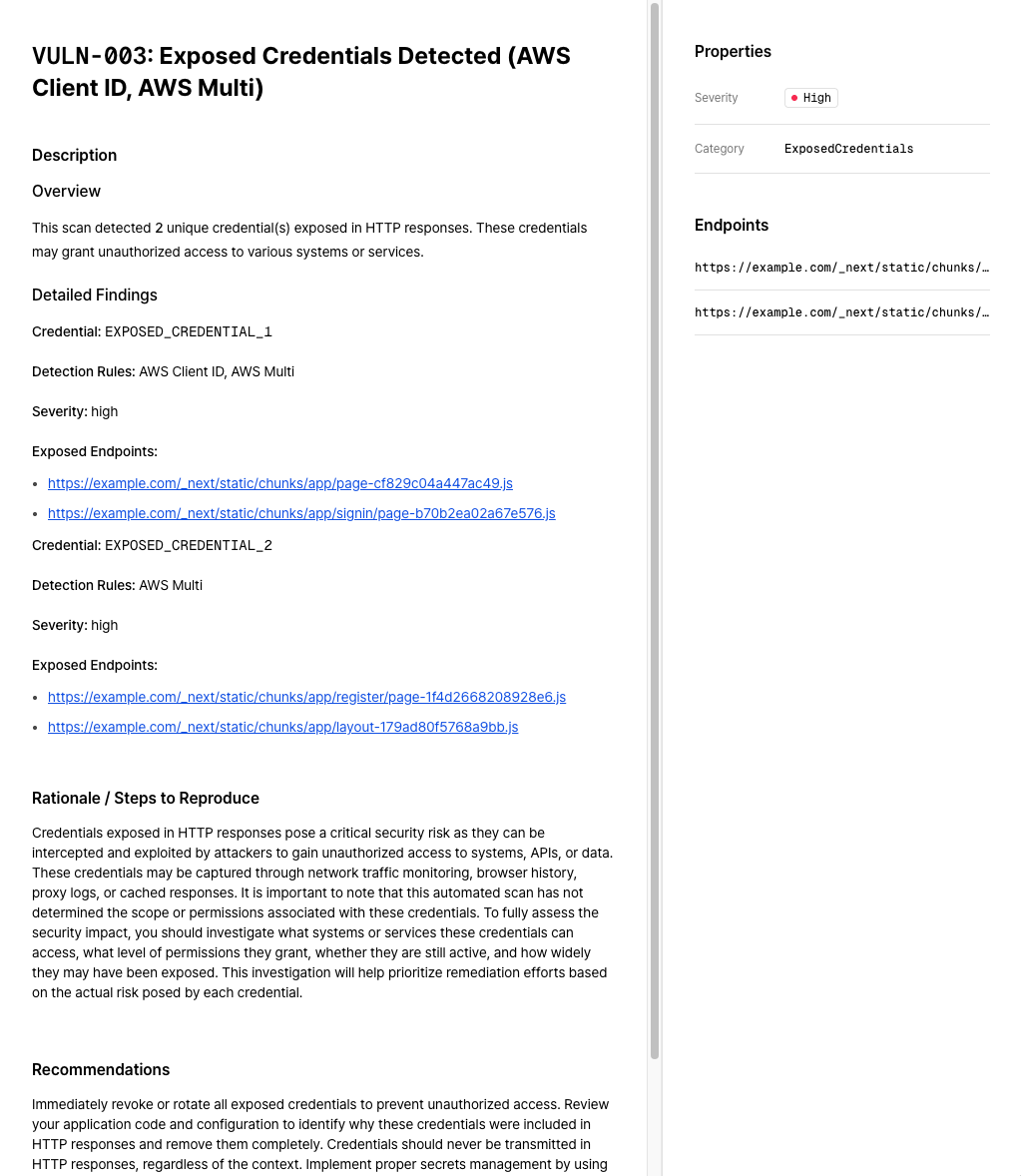
Secret key exposure vulnerabilities found on the same website are now grouped into a single vulnerability report. The vulnerability detail page also includes clearer context and more actionable recommendations.
| BEFORE | AFTER |
|---|---|
 |  |
 |
Error stack exposure deduplication
Error stack exposure issues caused by the same root issue on the same website are now grouped into a single vulnerability report.
Improved Report Readability (Beta)
Section titled “Improved Report Readability (Beta)”You can preview the new report format by clicking “Try the new view” in the top-right corner of the vulnerability screen in the web UI. The new version features better readability for vulnerability descriptions, along with additional summaries, technical and business impact assessments, and short-term and long-term remediation recommendations.
We’re continuing to refine this feature and plan to release it as a stable option soon. PDF support is also on the way.
Run PoC Scripts Locally
Section titled “Run PoC Scripts Locally”Proof-of-concept (PoC) scripts included in vulnerability reports can now be executed directly in external environments.
These scripts no longer depend on internal Xint engine modules, allowing you to run them independently without additional setup.
3. OIDC (OpenID Connect) Single Sign-On Support
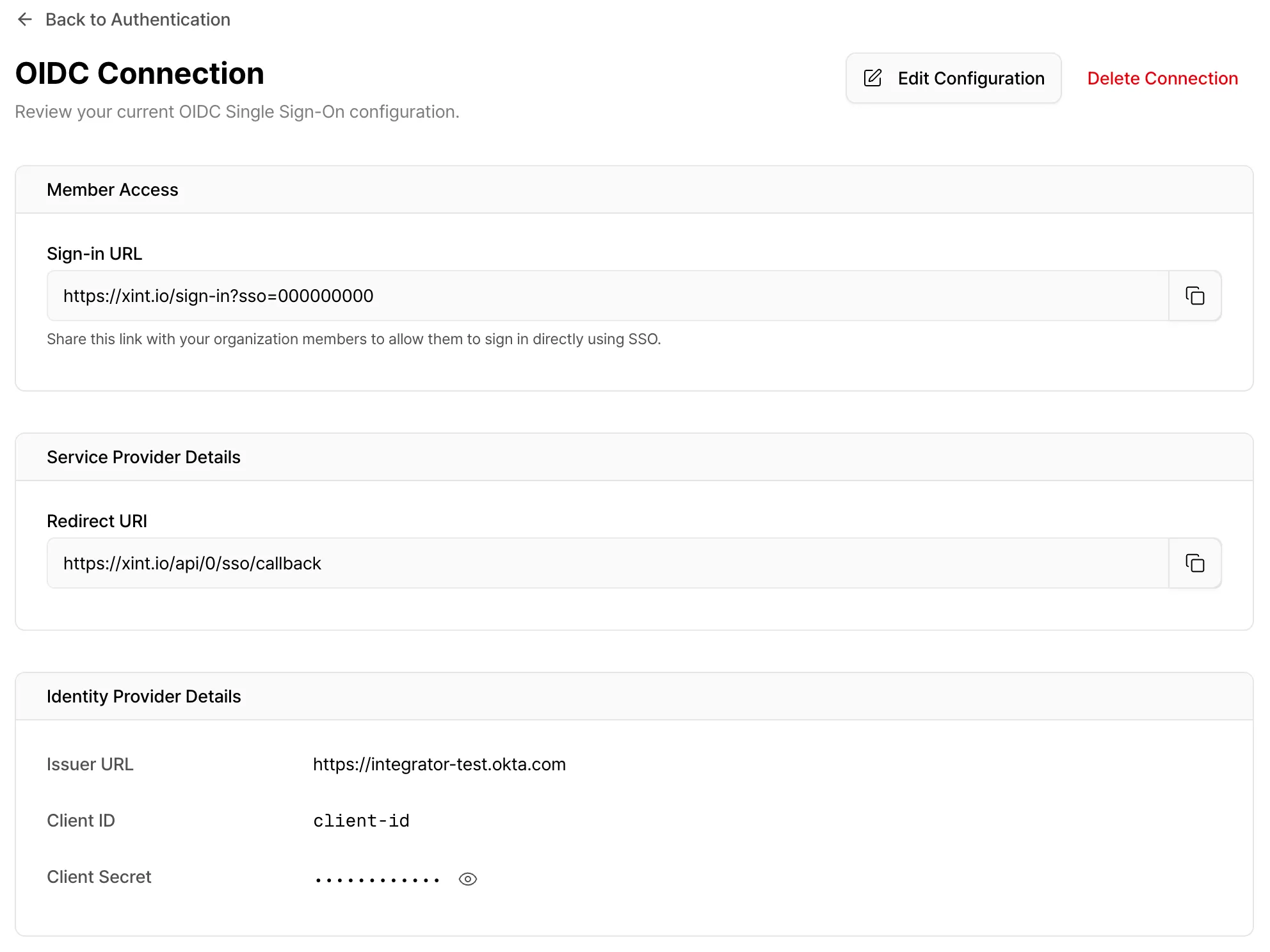
Section titled “3. OIDC (OpenID Connect) Single Sign-On Support”Xint now supports OIDC-based Single Sign-On (SSO), so you can log in using your existing identity provider, such as Okta.
Organization Setup
Go to Settings → Authentication and configure your OIDC identity provider under OIDC Single Sign-On. Once setup is complete, you’ll receive an SSO login link that includes your organization ID.
You can control which login methods are available to organization members (email/password, Google login, SSO, etc.). Organization admins always retain access to all login methods.
How to Sign In
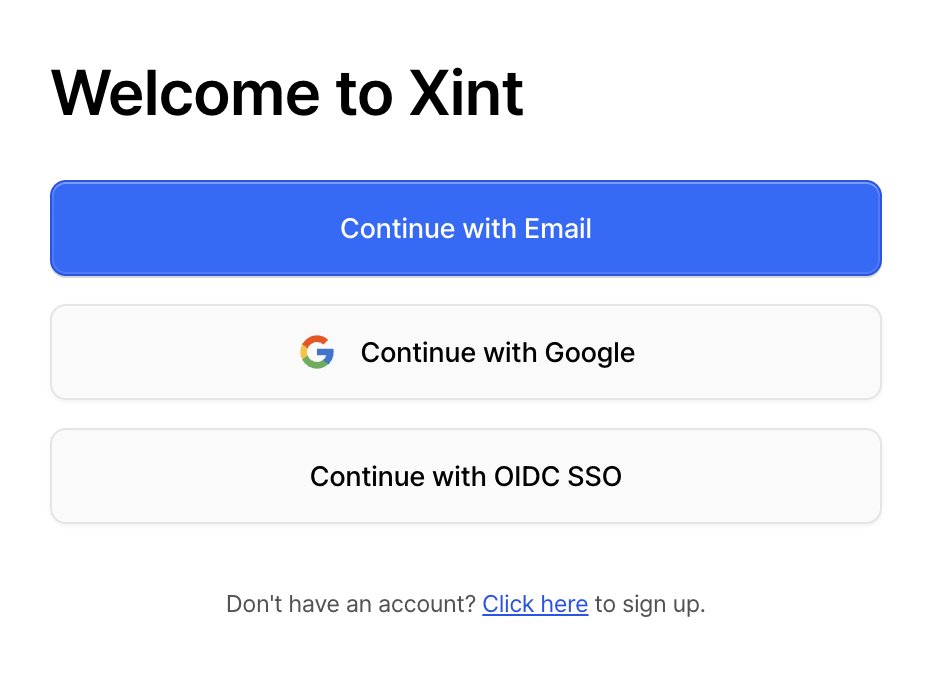
- Use your organization’s dedicated SSO login link, or
- Click “Continue with OIDC SSO” on the login page and enter your organization ID.
- If you’re using Okta, you can find Xint directly in the Okta App Catalog for faster setup.
For more details, see our documentation (Single Sign-On).
4. Xint OpenAPI Support
Section titled “4. Xint OpenAPI Support”We’ve introduced an OpenAPI that lets you programmatically access Xint’s scan features.
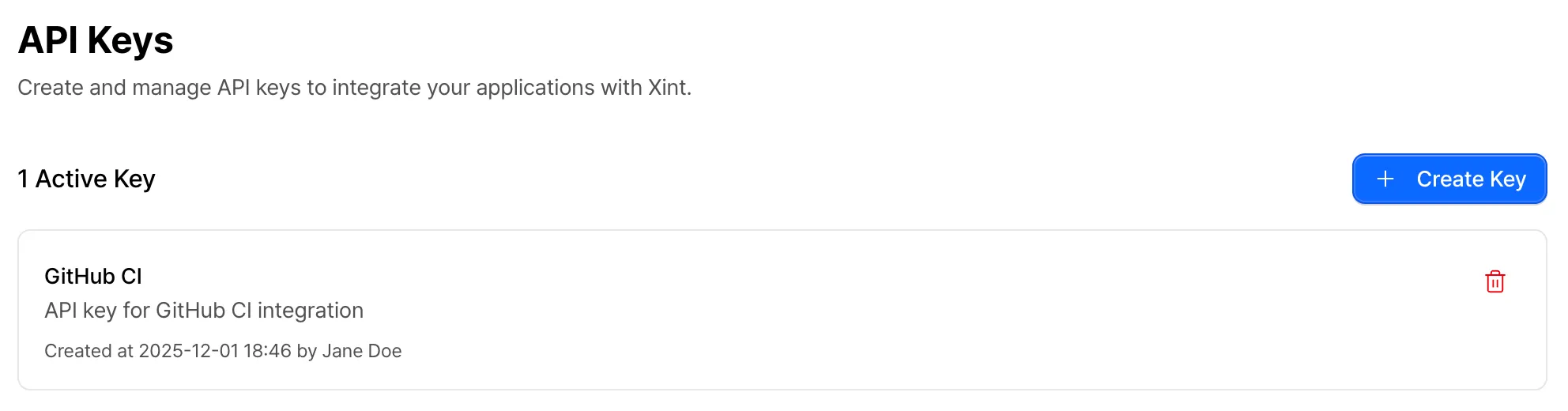
This makes it easy to integrate Xint into CI/CD pipelines, automate large-scale scanning, and build custom workflows. To get started, generate an API key from the Settings page.
Supported Features
- List scans and retrieve scan details
- Create, update, and delete scans
- Start and stop scans
- Add or remove scans from the queue
5. Pause and Resume Scans
Section titled “5. Pause and Resume Scans”You can now pause an in-progress scan and resume it later whenever you’re ready.
This gives you more flexibility when managing scan timing, system load, or operational priorities.
Other Updates
Section titled “Other Updates”Report and Organization Language Settings
Section titled “Report and Organization Language Settings”Choose between English or Korean for your report language when creating a scan.
Set your default language in your organization settings.
User Guide Redesign
Section titled “User Guide Redesign”The user guide documentation has been refreshed with an improved UI and English language support.
Improved Severity Accuracy and Granularity
Section titled “Improved Severity Accuracy and Granularity”We’ve improved the accuracy of severity classifications for discovered vulnerabilities. A new “Informational” classification has been added for findings that provide useful information but aren’t vulnerabilities.
Safety Guard Improvements
Section titled “Safety Guard Improvements”Added safeguards to prevent actions that could affect account access, such as password changes or account deletion attempts.
Report and Organization Language Settings
Section titled “Report and Organization Language Settings”Choose between English or Korean for your report language when creating a scan.
Set your default language in your organization settings.