


Release Note #2 (2026.01)
Major Enhancements
Section titled “Major Enhancements”1. Splunk (SIEM) Integration
Section titled “1. Splunk (SIEM) Integration”Xint now integrates with Splunk, allowing you to send security audit logs directly to your SIEM.
This makes it easier to monitor Xint activity alongside your existing security data.
Supported events include:
- User login and authentication activity
- Changes to organization authentication settings
- Scan creation, execution, and status updates
For setup instructions and a full list of supported events, see the User Guide.
2. Select Vulnerabilities When Downloading Reports
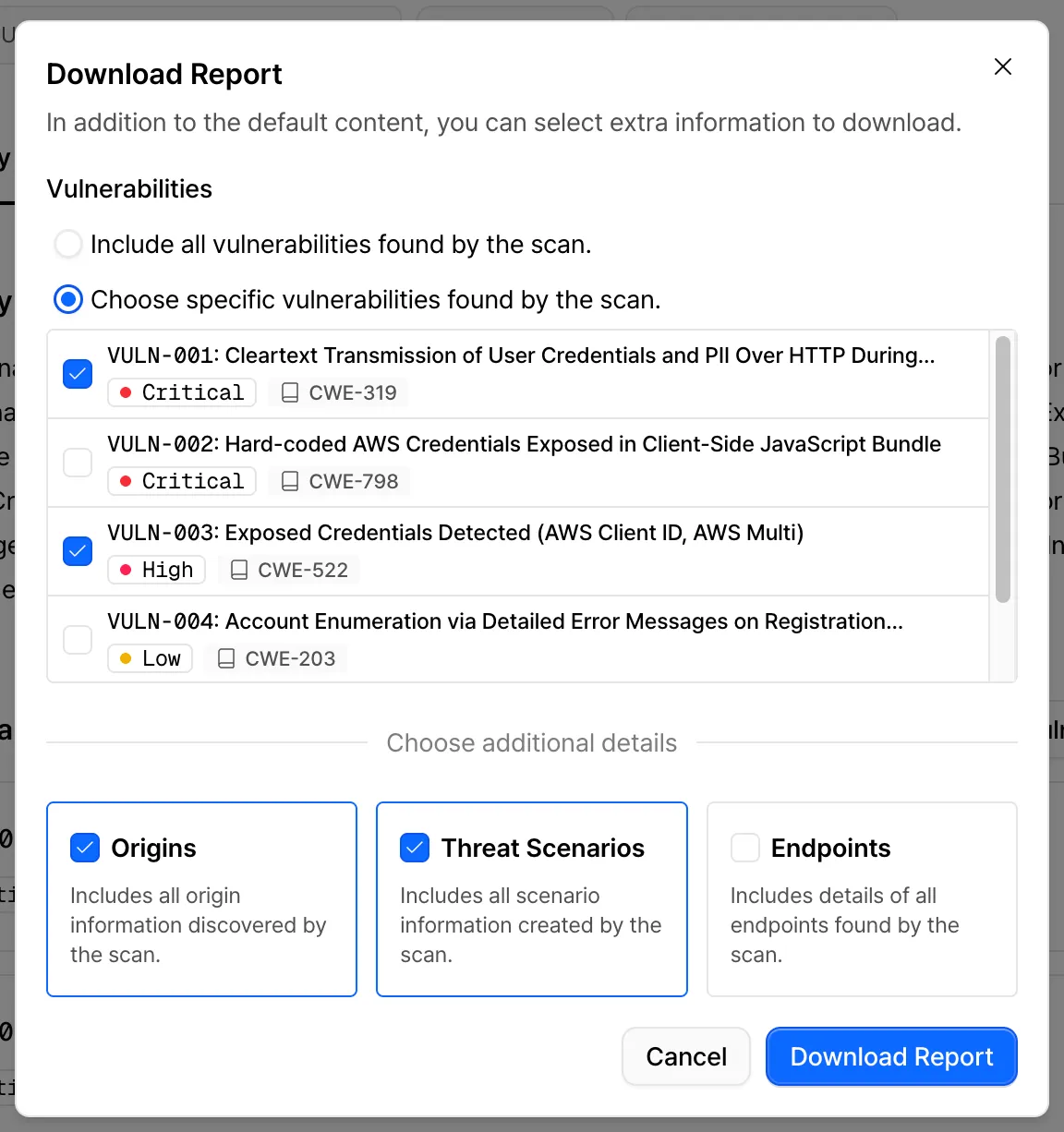
Section titled “2. Select Vulnerabilities When Downloading Reports”When exporting a report, you can now choose which vulnerabilities to include.
This helps you generate shorter, more focused PDFs tailored to specific teams or use cases.
3. Custom User Agent Support
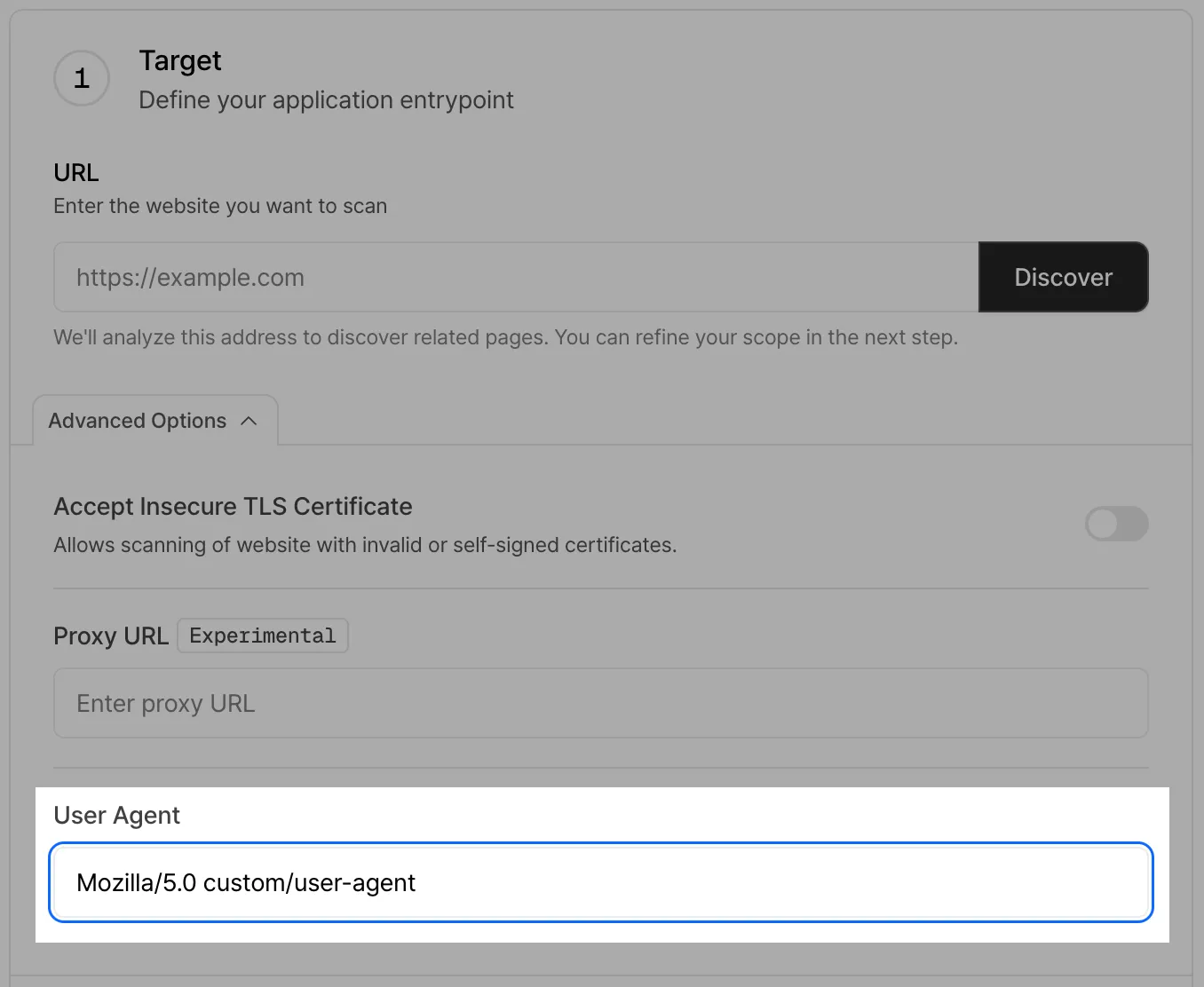
Section titled “3. Custom User Agent Support”You can now define a custom User Agent string for scans.
This is useful for:
- Testing how applications behave for mobile or specific browsers
- Adding identifiable strings for easier tracking in server logs
4. Authentication Process Timeline
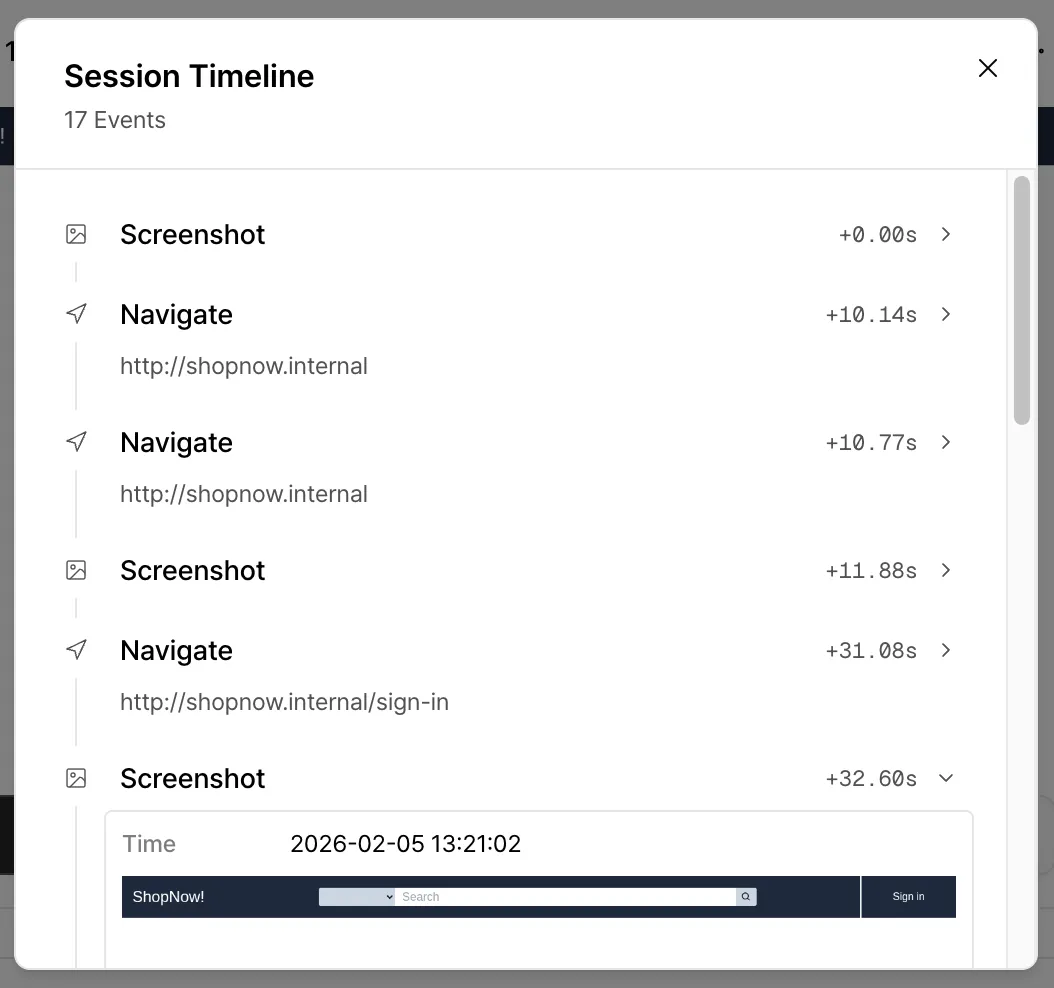
Section titled “4. Authentication Process Timeline”We’ve added a new timeline view for credential login tests.
The timeline shows how the scanner behaves step by step during authentication, making it easy to see exactly where and why a login attempt fails.
Other Updates
Section titled “Other Updates”Proactive Target URL Validation
Section titled “Proactive Target URL Validation”Before starting a scan, you can now validate the target URL to detect issues such as TLS certificate errors or connection timeouts in advance.
This helps prevent failed scans caused by configuration or connectivity issues.
Improved Login Stability
Section titled “Improved Login Stability”Login flows that rely on popups are now handled more reliably, improving scan stability for a wider range of applications.
Improved Secret Scanner Accuracy
Section titled “Improved Secret Scanner Accuracy”We’ve refined our secret key detection logic to reduce false positives and deliver more accurate results.