


Release Note #4 (2026.04)
New Features
Section titled “New Features”1. Enhanced Scan Configuration
Section titled “1. Enhanced Scan Configuration”Vulnerability Category Customization
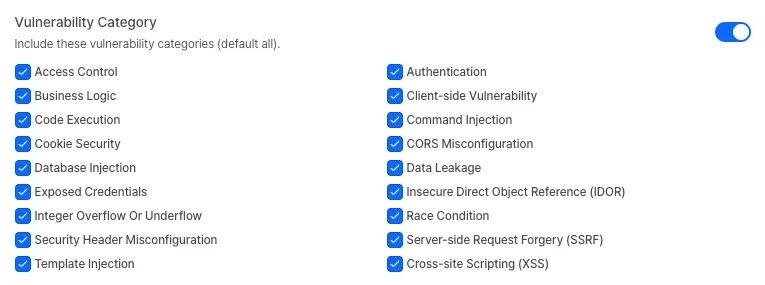
Section titled “Vulnerability Category Customization”You can now manually select and configure the specific vulnerability categories you want to detect during a scan. By excluding unnecessary categories or focusing on specific threats, you can tailor your scans to better fit your security objectives. This option can be found under the “Vulnerability Categories” toggle in the Advanced Settings tab during the first step of scan creation.
Authenticated Account Permissions
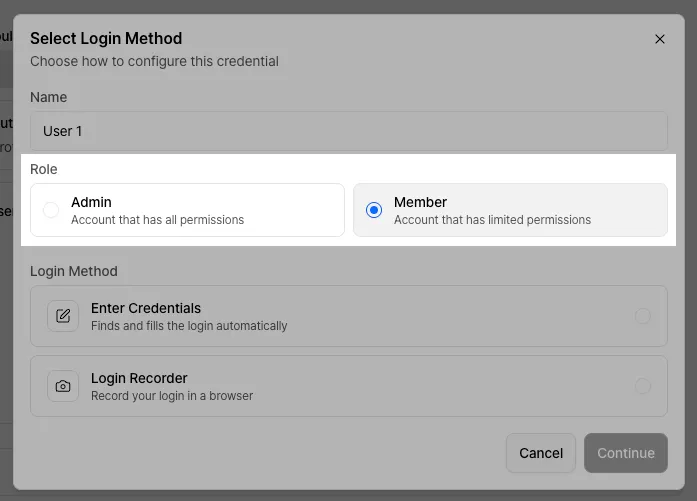
Section titled “Authenticated Account Permissions”When entering credentials for a scan, you can now specify the permission levels held by the account. Xint AI uses this permission data as context during the scanning process, leading to more precise and effective vulnerability detection.
Login Recording
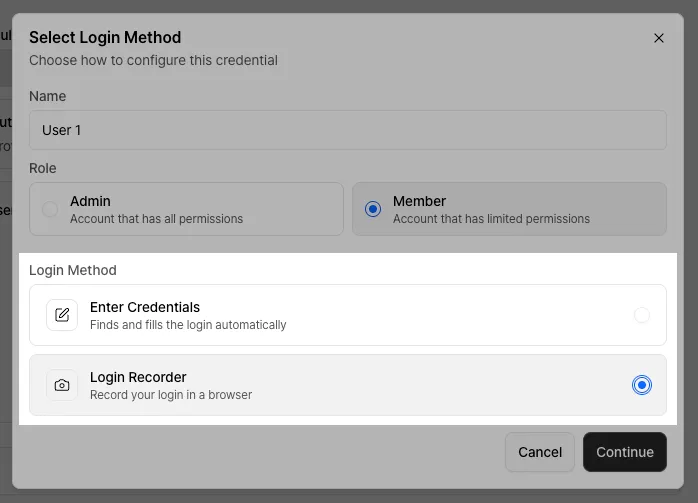
Section titled “Login Recording”For sites that require complex login flows beyond simple ID and password fields, we’ve introduced the Login Recording feature. This feature allows you to manually perform and record the login sequence, which Xint then converts into usable authentication data for the scan.
Safety Mode
Section titled “Safety Mode”Prioritize system stability with the new Safety Mode. When enabled, the scanner restricts aggressive testing techniques that might impact service performance, minimizing risk in production environments. You can manage the default setting for this feature under Settings > General.
Caution: Enabling Safe Mode may limit the detection of certain vulnerabilities. We recommend using this option only for live environments where operational stability is critical.

2. IP Access Restrictions
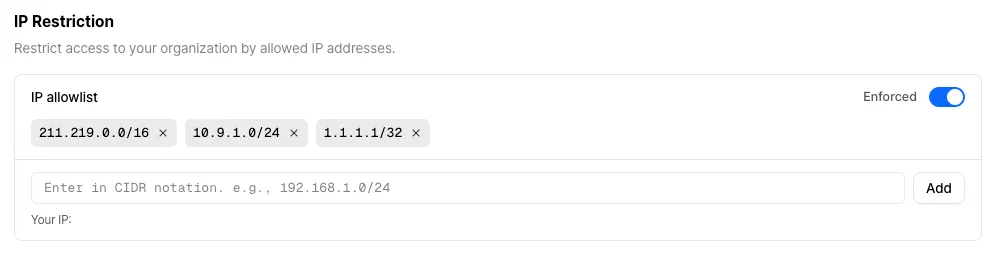
Section titled “2. IP Access Restrictions”Strengthen your organization’s security by restricting access to authorized IP addresses only. You can toggle this feature and manage your IP allowlist in the Settings > Security menu.
3. Audit Logs
Section titled “3. Audit Logs”Audit logs, previously only available via SIEM integration, can now be viewed directly within the platform. Monitor key organizational activities by navigating to Settings > Audit Logs.
For a full breakdown of event types, please refer to our documentation.
Other Updates
Section titled “Other Updates”The “beta” view on the Vulnerability Details page has been promoted to the default standard view.