


Release Note #7 (2026.07)
New Features
Section titled “New Features”Aggressive Scan Mode
Section titled “Aggressive Scan Mode”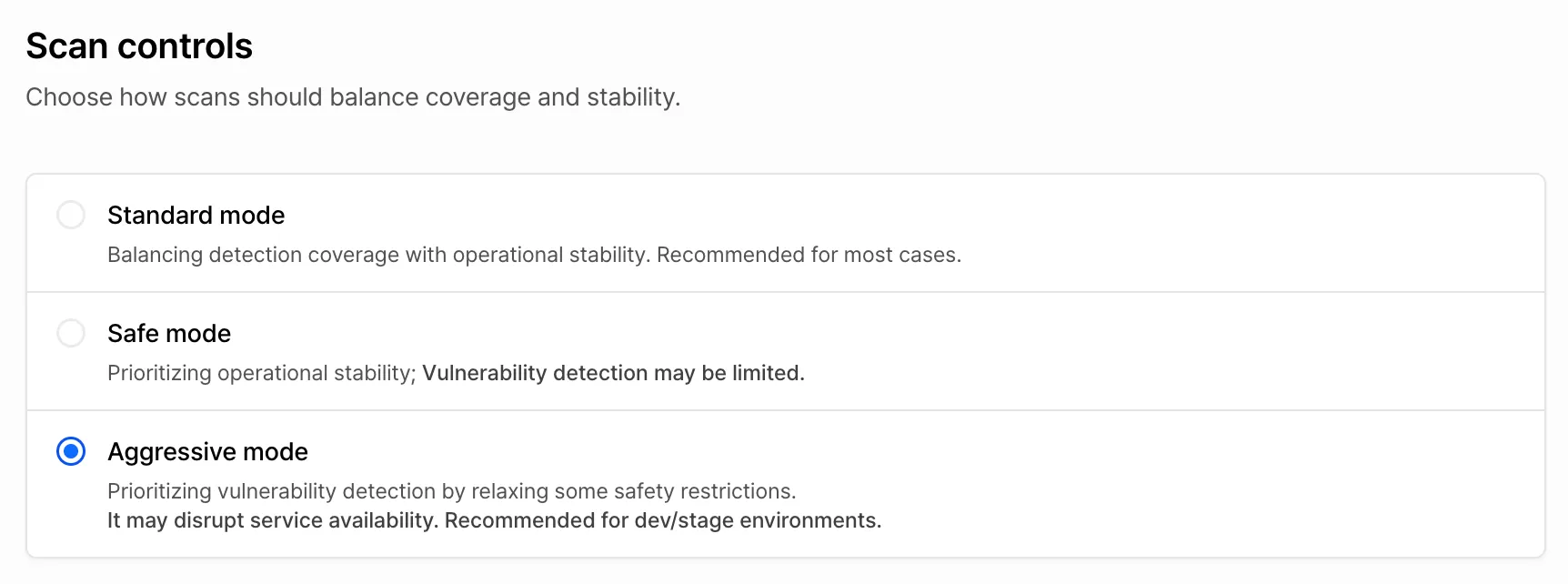
You can now choose one of three intensity levels when creating a scan. In addition to the existing options, we’ve added the Aggressive Mode, which can be set under Create scan > Scan control.
- Standard Mode: Balances detection coverage with operational stability. Recommended for most cases and set as the default.
- Safe Mode: Puts operational stability first. Vulnerability verification is limited to read-only checks, with no state-changing or destructive actions such as deletion. Some vulnerabilities may therefore go undetected.
- Aggressive Mode: Puts detection first. Certain safety constraints are lifted so that verification can include high-volume requests and destructive or irreversible actions such as modifying or deleting data, which improves detection performance. Because this can disrupt your service, use it only in development or staging environments.
Baseline guardrails(no activity outside the defined scope, protection of test accounts) stay in effect in every mode.
Exclude URLs from Scan Scope
Section titled “Exclude URLs from Scan Scope”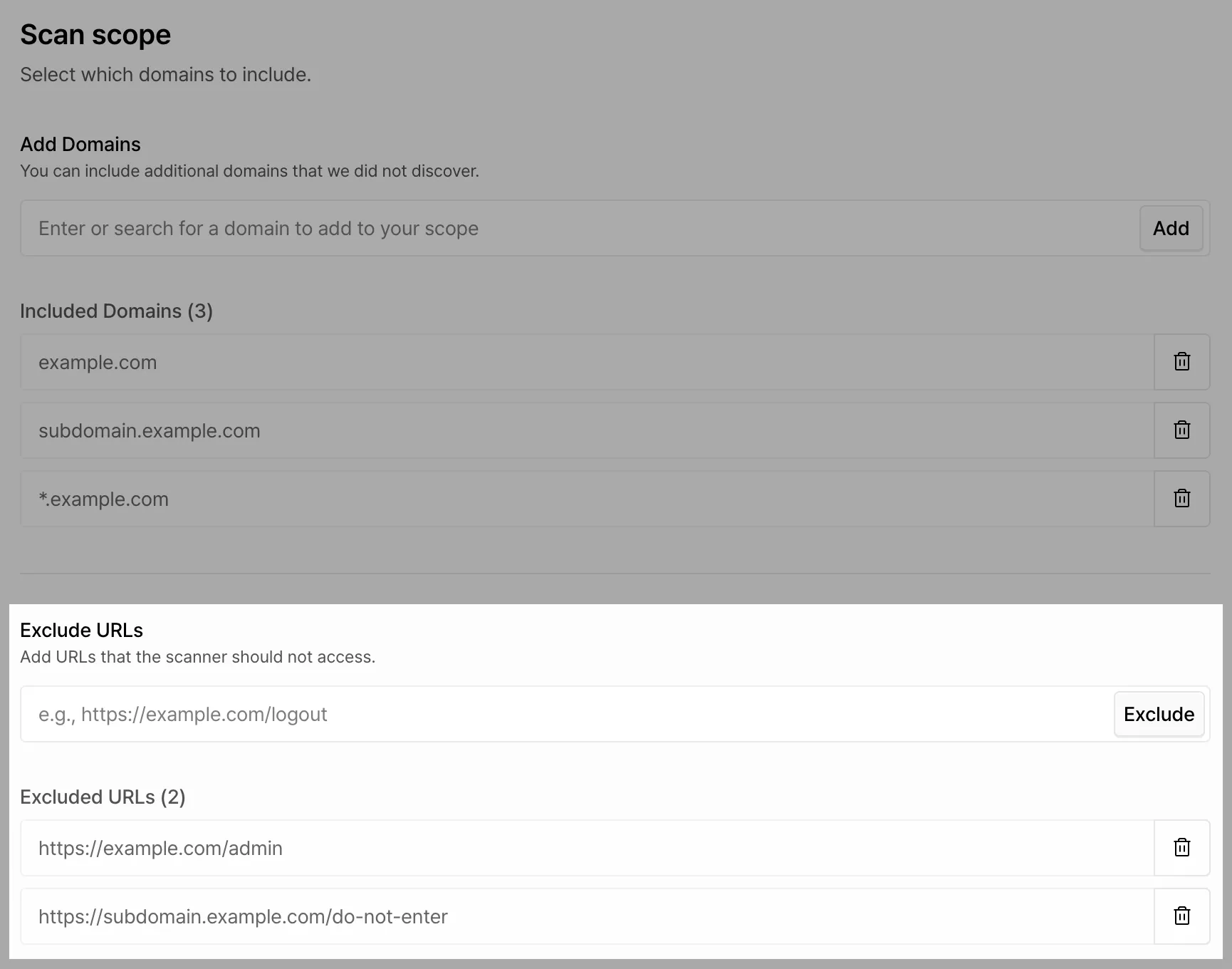
You can now specify URLs to exclude when setting the scan scope during asset creation. Use this when you want finer control over scope, such as leaving out a few paths within a range you’ve already defined.
For setup details, see the guide.