


Release Note #8 (2026.08)
New Features
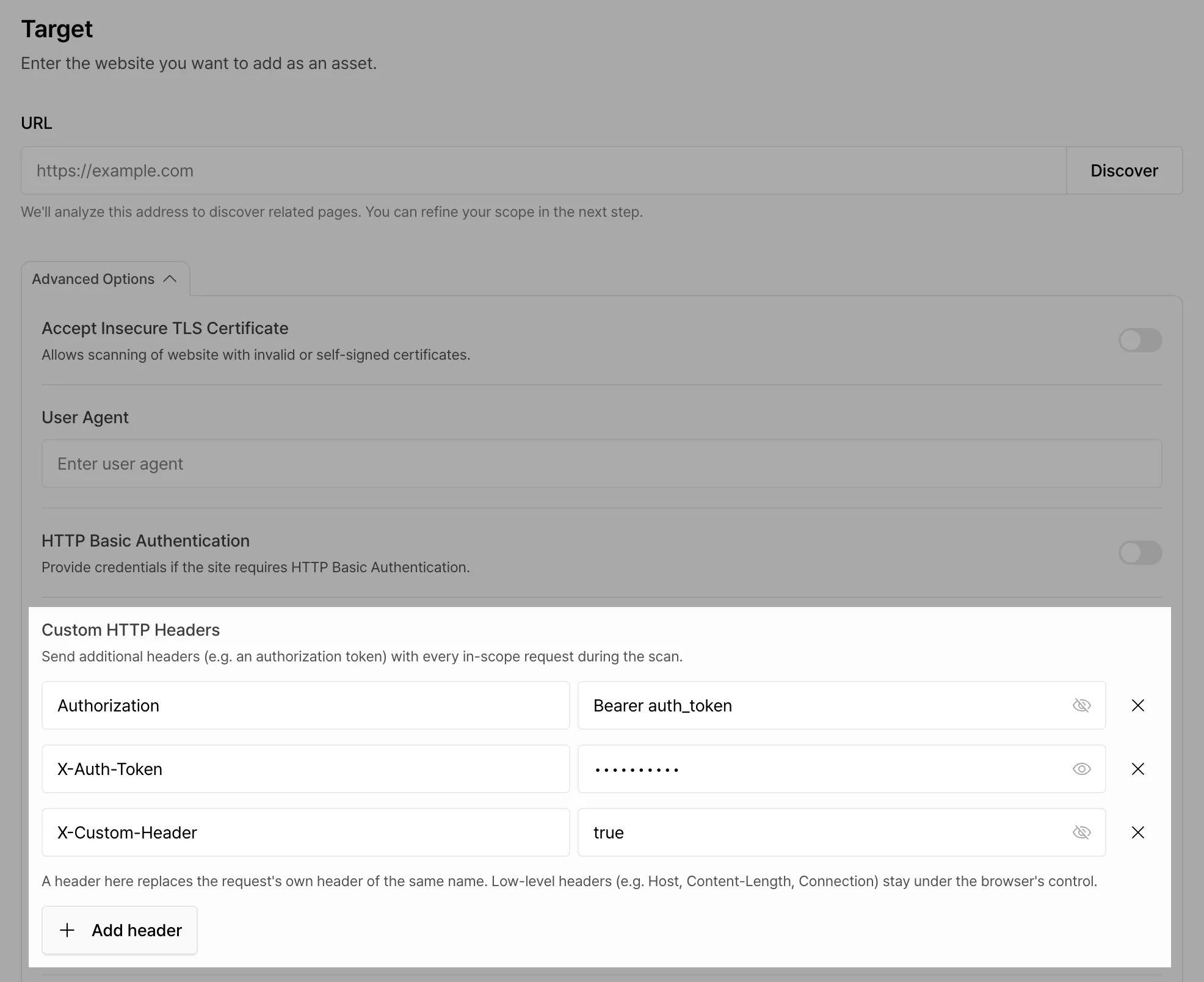
Section titled “New Features”Custom HTTP Headers
Section titled “Custom HTTP Headers”You can now set custom HTTP headers when creating assets and scans. If scanning a target URL requires a specific header, such as an authentication header, add it as a custom HTTP header.
Improvements
Section titled “Improvements”Clearer Vulnerability Reports
Section titled “Clearer Vulnerability Reports”- Unified title formats so that vulnerabilities of the same type are labeled consistently.
- Clarified the role of each section to reduce duplicated content.
Description
Section titled “Description”- Now leads with what can happen, so the core issue is clear from the first sentence.
Impact
Section titled “Impact”- Separates impact that has been demonstrated, from impact that is possible under specific conditions.
- Describes business outcomes rather than technical detail, and specifies exactly what types of data are exposed.
Rationale / Steps to reproduce
Section titled “Rationale / Steps to reproduce”- Provides standardized reproduction steps. Each step lays out the actual request and an excerpt of the response, so you can use them directly for reproduction and verification.
- Sensitive information such as credentials and tokens is masked.
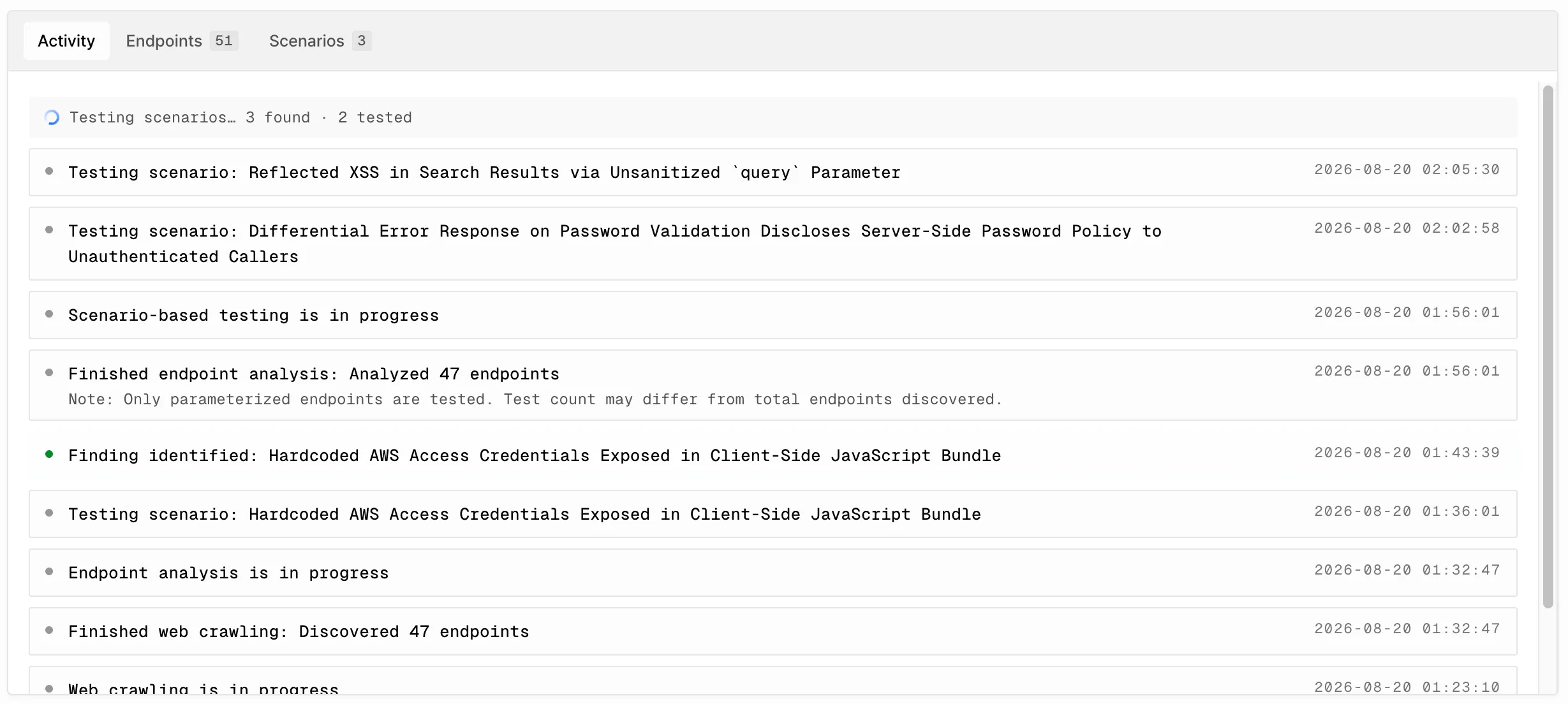
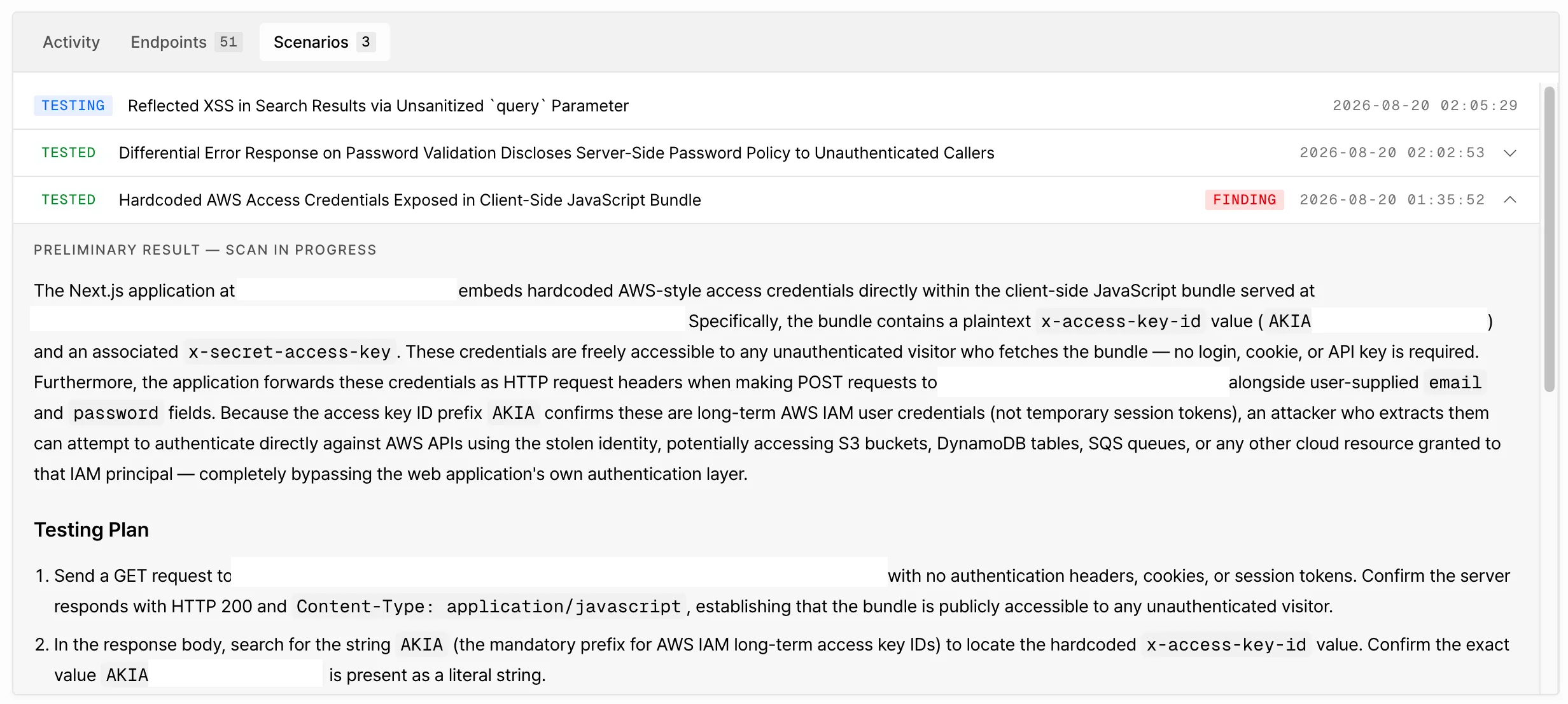
Better Visibility into Scan Progress
Section titled “Better Visibility into Scan Progress”We improved the Scan Activity and Discovered Scenarios views so you can follow a running scan in more detail. You can now see which areas are currently being analyzed and which analyses have already finished.
Clearer Target URL Validation Messages
Section titled “Clearer Target URL Validation Messages”When target URL validation fails during asset creation, the message now identifies the specific failure case and explains the cause more clearly.